Account dashboard
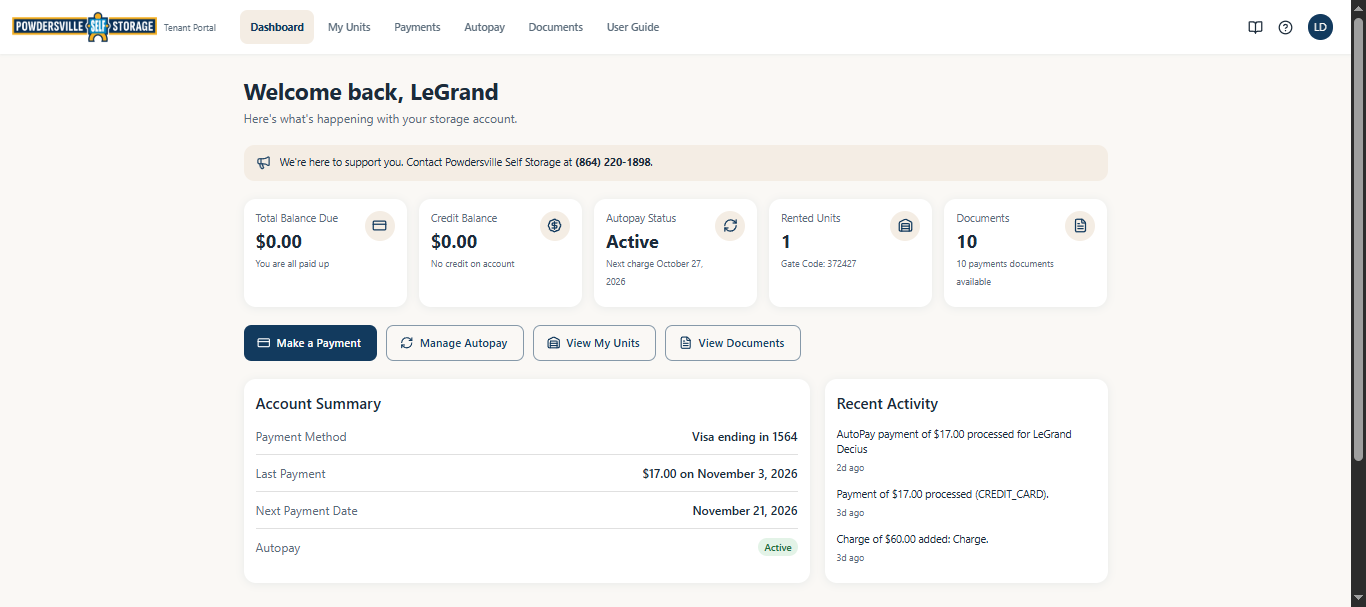
See your total balance due, AutoPay status, active rented units, documents needing attention, one-click shortcuts, and recent activity feed.
View dashboardCheck your unit details and gate code, pay rent online, set up AutoPay, download PDF receipts, and follow built-in guides from one modern tenant portal.
Unit details, gate code, online payments, PDF receipts, and built-in help in one place
No waiting on office hours or digging through old emails. Sign in to review your balance, check rented-unit dimensions and gate codes, pay online, manage AutoPay, update your profile, and download official PDF receipts whenever you need them.
Every screen is designed for clarity—helping you manage your unit, payments, documents, and account settings without guesswork.
See your total balance due, AutoPay status, active rented units, documents needing attention, one-click shortcuts, and recent activity feed.
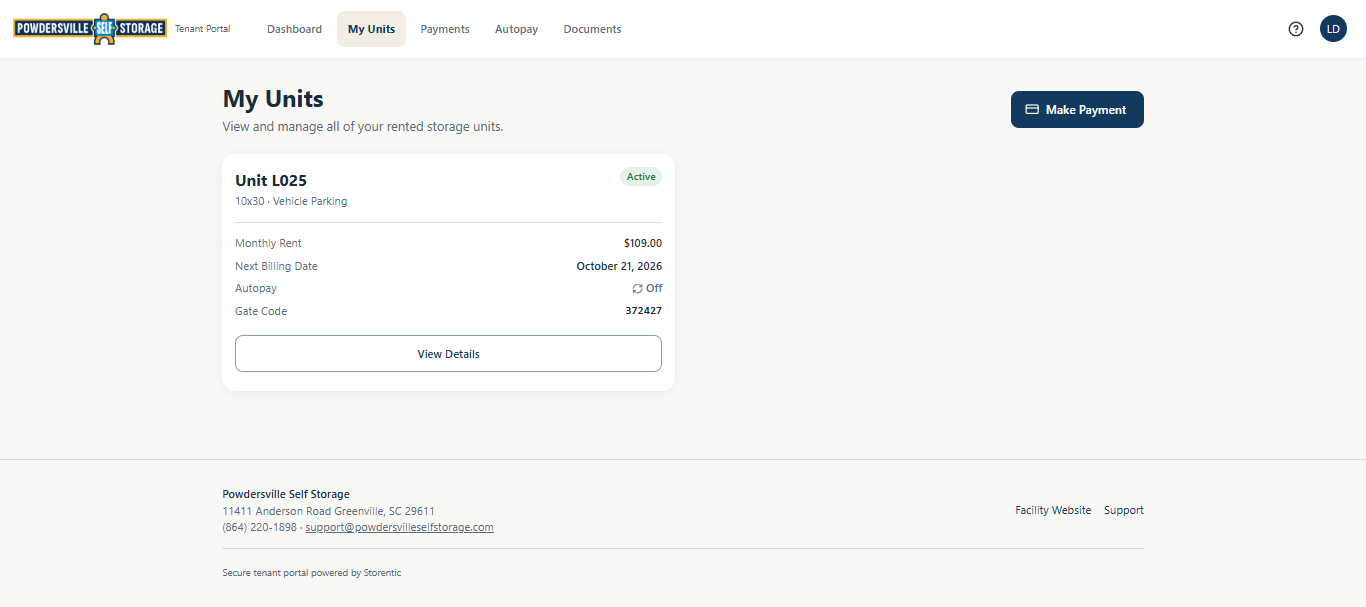
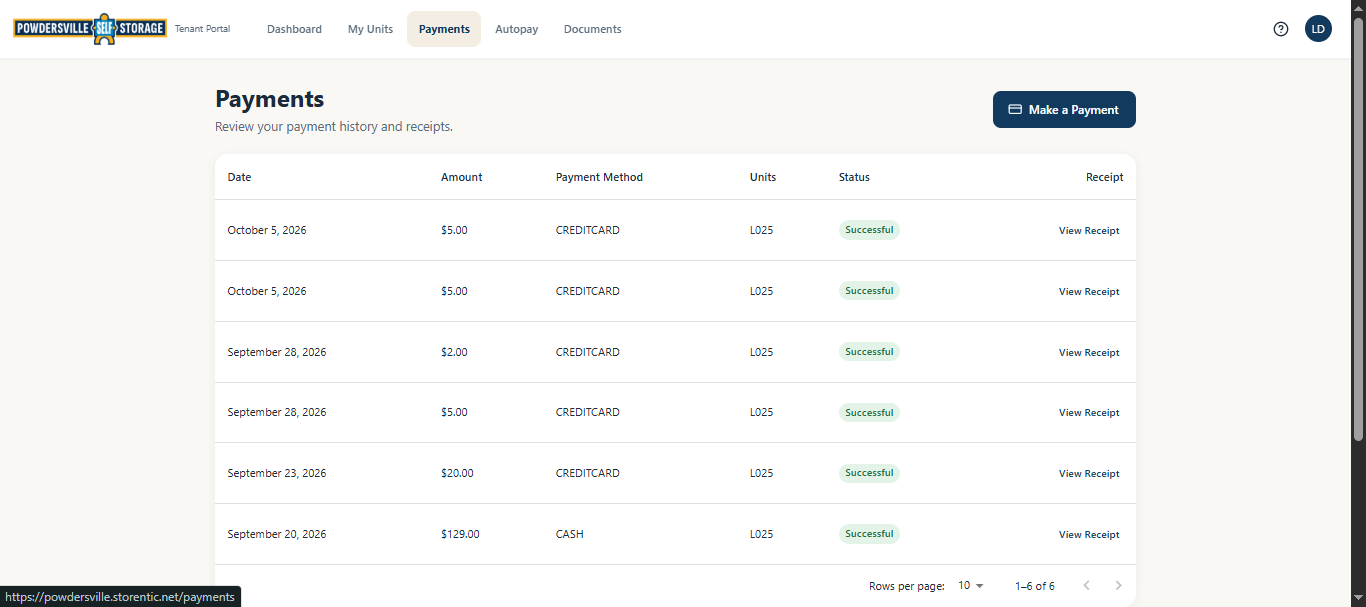
View dashboardReview unit dimensions, monthly rent, next billing date, lease details, AutoPay status, and your assigned gate access code in one view.
Explore unit detailsMake secure payments anytime, inspect full transaction breakdowns, check payment status, and download payment PDFs on demand.
See payment screensEnroll your units in automatic monthly billing with a clear 4-step flow: select units, authorize payment method, review, and confirm.
Explore AutoPayBrowse completed payment receipts and rental records, open full audit-trail details, and download formatted PDFs anytime.
View documentsManage your contact details and password, reach facility support with office hours and emergency info, or browse the interactive User Guide.
See help & profileClick any tab below to preview the real tenant experience—from signing in and checking gate codes to paying online, downloading PDFs, and using the built-in guide.
Review account balance information, AutoPay status, rented units, documents needing attention, quick actions, and recent activity in one place.
See how payments, unit management, built-in documentation, and account preferences work together seamlessly for every tenant.
Whether you rent one space or multiple units, My Units gives you instant clarity on unit size, vehicle or climate specs, monthly rent, next billing date, and your personal gate code—plus a full unit details view.
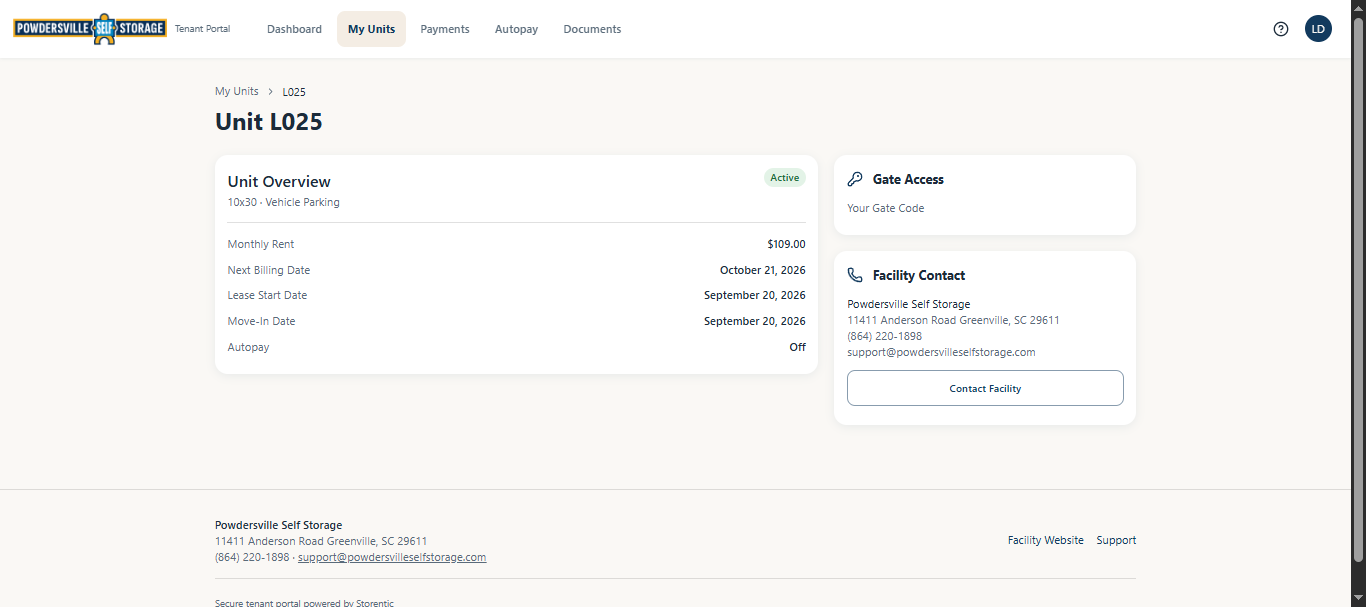
Track every transaction in your Payments hub, turn on AutoPay in four guided steps, and open any receipt to view its complete audit trail or save an official PDF copy for your records.
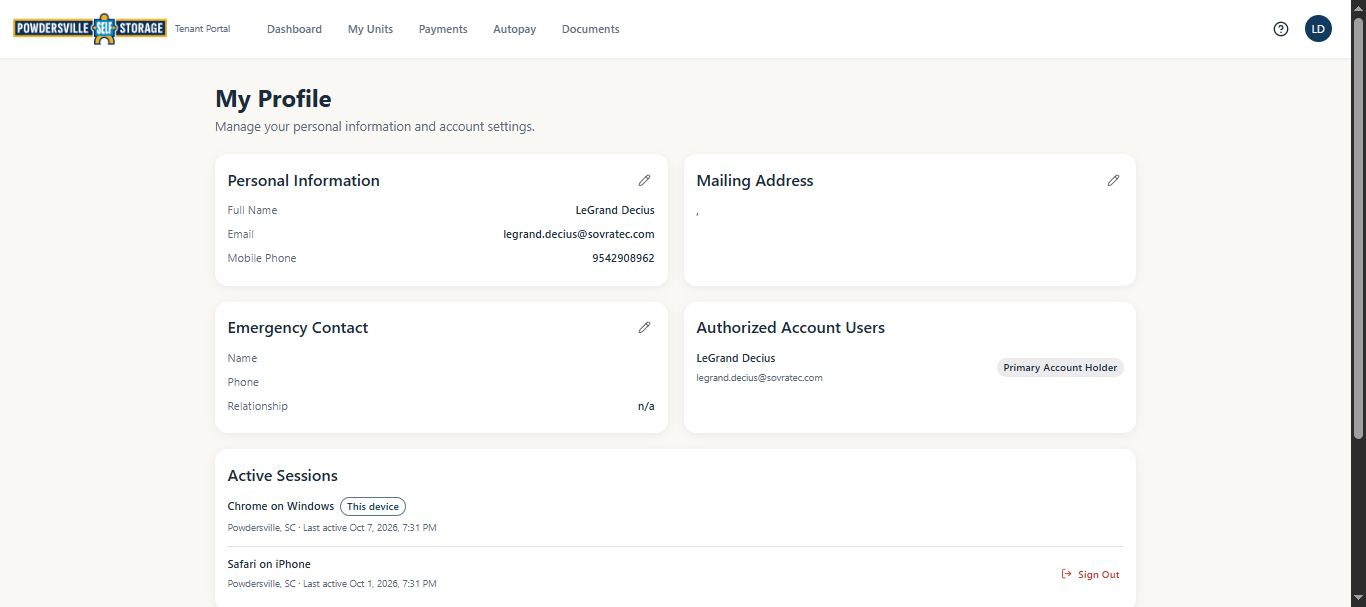
New to the portal? Searchable step-by-step walkthroughs, visual tutorials, and facility contact details are built right into the navigation—alongside easy profile and password management.
.png)
From first-time registration to monthly AutoPay and receipt downloads, everything flows cleanly in four straightforward steps.
Register in seconds or sign in securely with email, password, and Remember Me.
Open My Units to see your unit size, billing date, AutoPay state, and gate code.
Submit a one-time payment or enroll in automatic monthly billing in four steps.
Visit Documents or Payments anytime to inspect details and save a PDF receipt.
Designed for busy tenants who want fast answers—whether you are at the facility gate, checking a bill from your phone, or saving receipts for taxes.
Explore all 14 portal screensReview balance indicators, AutoPay status, rented units, pending documents, and recent activity immediately upon sign-in.
Check unit type, dimensions, monthly rent, next billing date, and full unit details without calling the office.
Find your facility gate code right alongside your active rental details in My Units.
Pay manually anytime or enroll in AutoPay with saved cards and clear step-by-step confirmation.
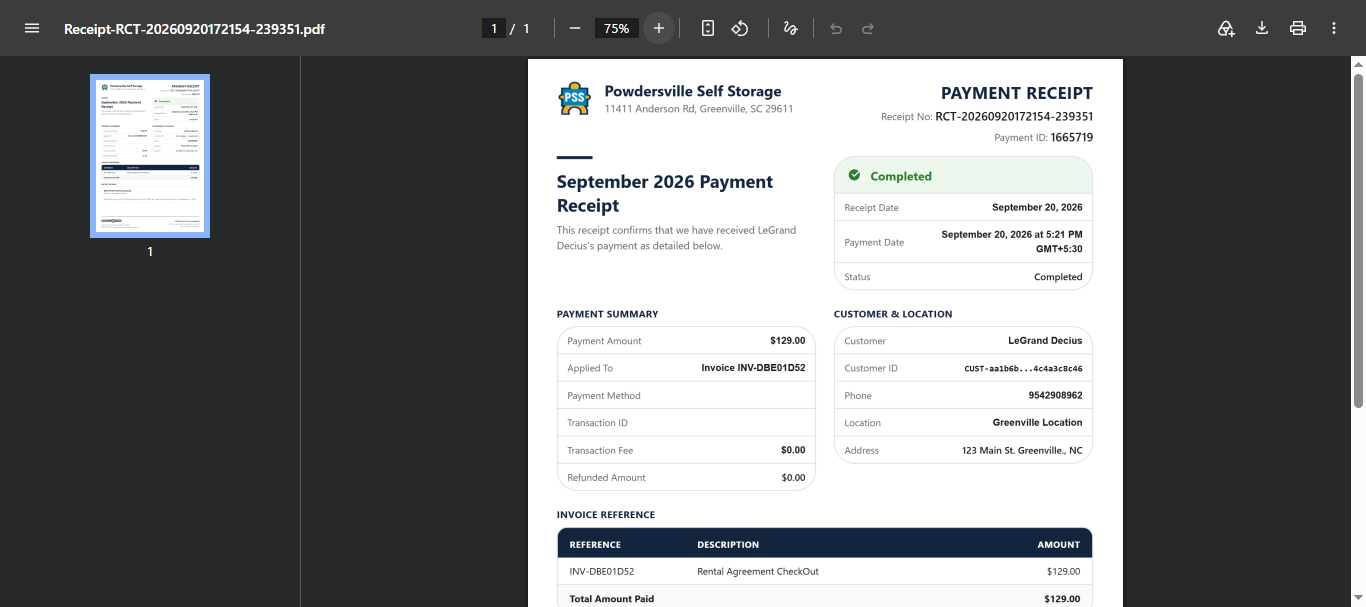
Open any payment or document record to inspect timestamps, card details, and download a clean PDF.
Access the searchable User Guide, step-by-step modal tutorials, office hours, and emergency lockout numbers anytime.
You can review your account balance and recent activity, check rented-unit details and gate codes, make online payments, set up AutoPay, download PDF receipts, update your profile, and browse the built-in User Guide.
Select "Create an Account" on the sign-in screen, enter your name, email, mobile phone, and password, accept the terms, and you will be ready to manage your units online.
Open My Units (or check the Rented Units card on your Dashboard) to view the gate code displayed alongside your active rental. Keep your access code private.
Use the Make a Payment button on the Dashboard, My Units, or Payments page. You can also click any past transaction in Payments to open its full Payment Details and download a PDF copy.
Open the AutoPay tab and click Enable Autopay. The 4-step wizard walks you through selecting your units, choosing a payment method and authorizing, reviewing your summary, and completing enrollment.
Open Documents (or Payments), select View on any completed receipt record, and click Download PDF at the top right of the receipt detail page.
Click your initials in the top-right header to open your Profile page and update your contact details or password. For urgent help or after-hours lockouts, open Help & Support to view facility phone numbers and office hours.
Everything you need to know about signing up, finding your gate code, paying online, setting up AutoPay, downloading PDFs, and using the built-in guide.
Ready to offer your tenants a modern, self-service portal—or need help accessing your existing storage account? Reach out to the Storentic team.